The Transfer You Set Once and Never Think About Again
The most reliable financial habit is the one that does not depend on you remembering to act on it. Roxxy's scheduled and recurring transfers are built around that principle. Set it once. The money moves. You think about something else.
In this article
- The problem with manual transfers
- One-time and recurring options
- Granular interval control
- Managing scheduled transactions
The problem with manual transfers
Manually initiating the same transfer every month is a recurring task with a reliable failure mode. It is easy to forget. When you forget a rent payment, a loan payment, or a savings transfer, the consequences range from a late fee to a missed savings opportunity to a genuinely stressful situation that could have been prevented with one setup step.
The solution is not better memory or more discipline. It is removing the need for either.
Manually initiating the same transfer every month for rent, savings, or loan payments is a recurring task that is easy to forget and creates unnecessary stress. Roxxy automates it with one setup step.
One-time and recurring options
Roxxy supports both one-time scheduled transfers and fully recurring transfers. A one-time scheduled transfer is useful when you know a payment is coming and want to set it up in advance without having to remember it on the day. A recurring transfer is for anything that happens on a fixed cadence: rent, a savings contribution, a loan payment, a regular payment to a family member.
For savings specifically, scheduling a transfer to a savings account on payday is one of the highest-leverage automations a person can set up. The money moves before you have a chance to spend it. The saving happens without requiring a moment of willpower.
One-time or recurring transfers between accounts. External linked accounts supported. Add a memo to every scheduled transfer for tracking. Set it and forget it for regular payment obligations. Automate savings by scheduling a transfer to savings on payday.
Granular interval control
Roxxy's interval control goes further than the standard weekly and monthly options most banks offer. You can schedule a transfer every three days, every two months, or after a fixed number of occurrences. The "after X occurrences" option is particularly useful for fixed-term payment plans, where a payment runs for a defined period and then stops automatically.
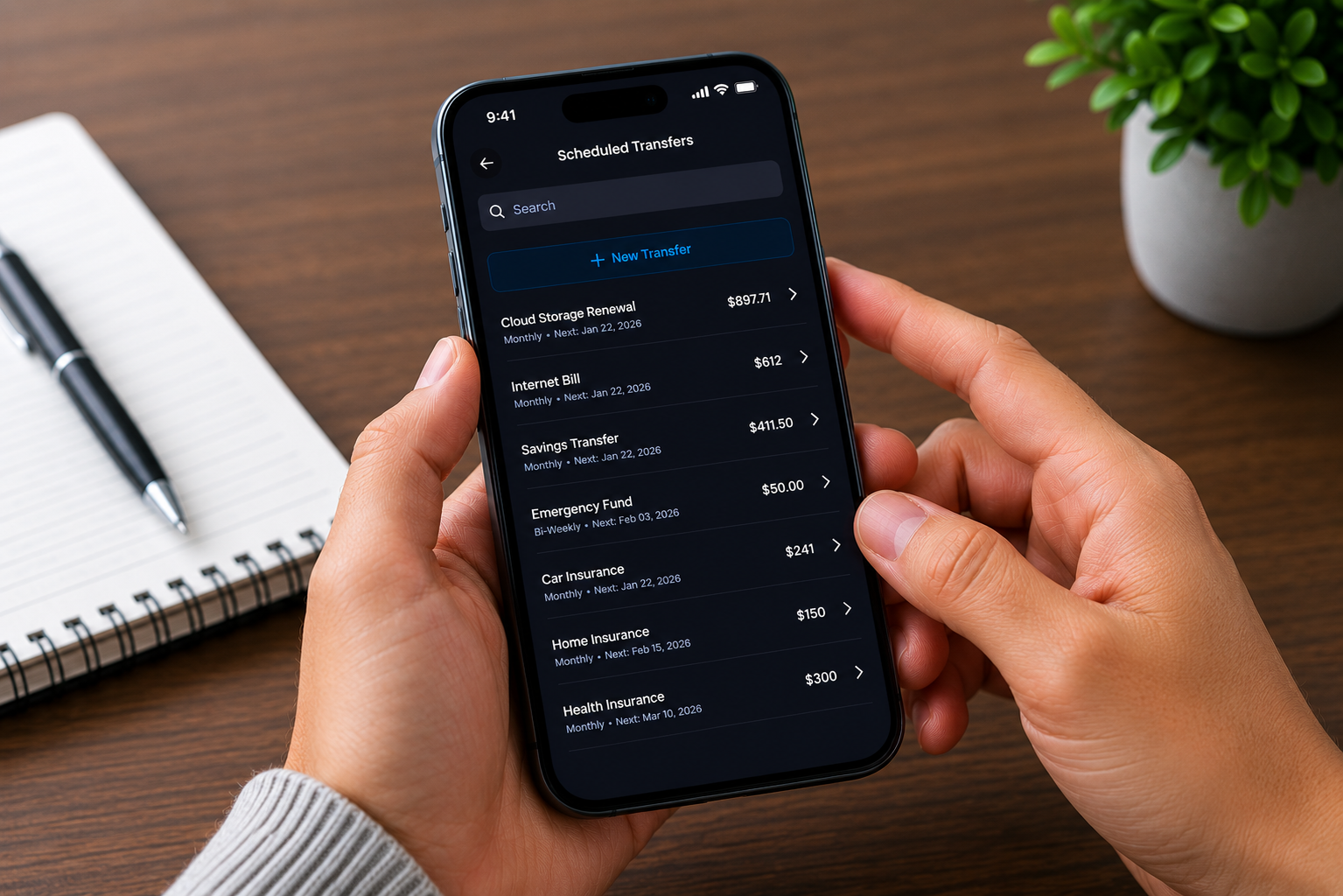
Recurrence is shown in plain language in the scheduled transactions view, for example "Daily starting 22 January", so there is no ambiguity about when a transfer will run.
Granular interval control, including "every 3 days" and "after X occurrences", goes well beyond basic weekly and monthly scheduling. For business owners managing fixed-term payment plans, this removes a manual tracking task entirely.
Managing scheduled transactions
All upcoming scheduled transactions are visible in one organised view. You can see the name, recurrence frequency, memo, and amount for every upcoming transfer. Drill into any scheduled transaction for the full detail: source account, destination account, delivery method, and note. View the complete history of every payment that has already been triggered by each scheduled transfer. Cancel any scheduled transaction at any time.
Per-transfer transaction history makes reconciliation and payment auditing straightforward. Most banks do not offer this level of drill-down into scheduled transfer history. Roxxy does, by default.